
Projects
From kick-off.
To final invoice.
PlanSmarter Projects keeps phases, tasks, people, hours and money together — so you always know where each project stands and what it earns.
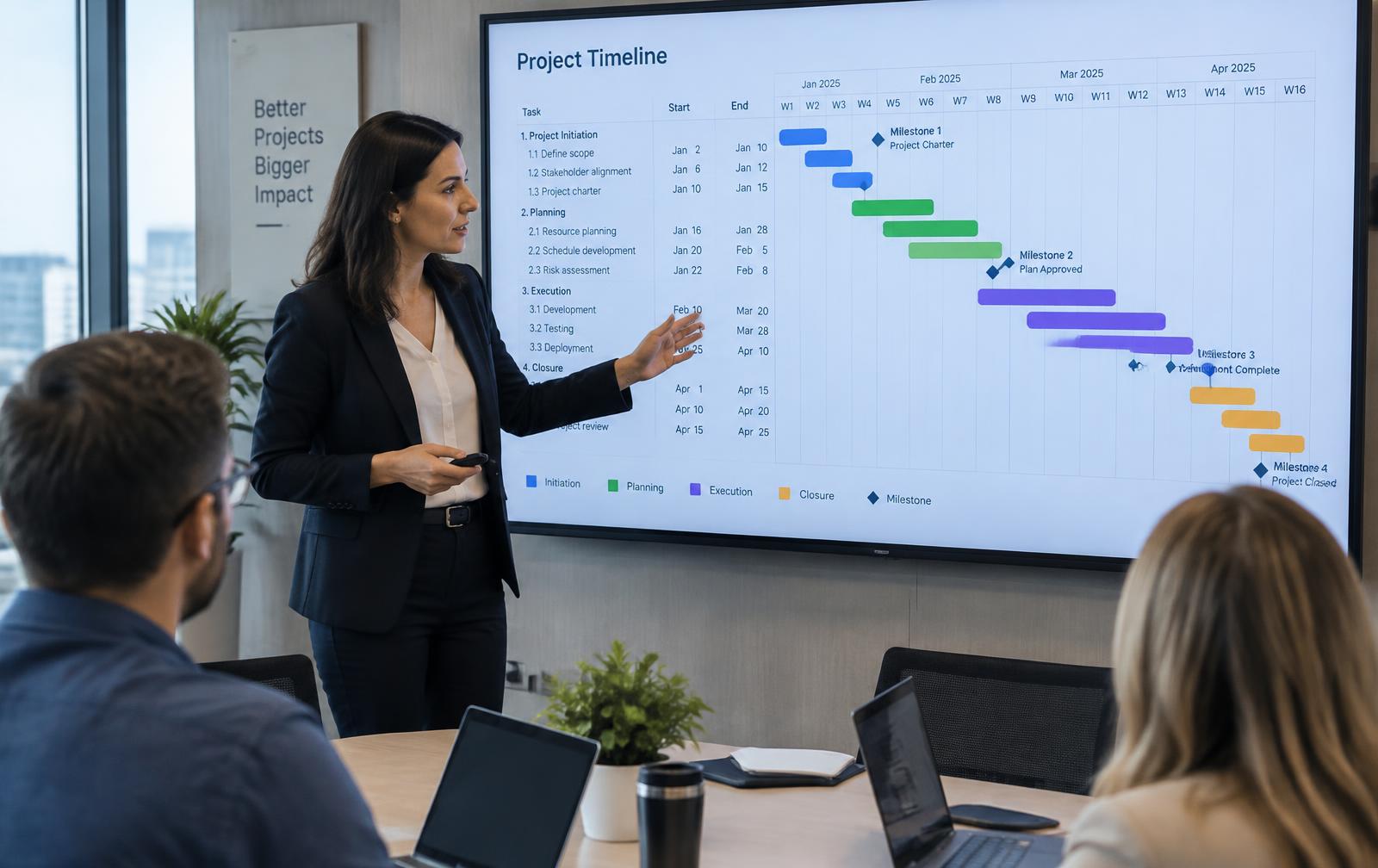
- Phases, milestones and timelines
- Project tasks straight in the team's Planner
- Budget vs. actual hours and costs
Features
Everything a project needs
Built for teams that deliver projects for customers or internally.
Project overview
All projects with status, owner, customer and progress.
Timeline
Phases and tasks on a timeline you can adjust.
Milestones
Key dates and deliveries tracked with alerts.
Resources
Staff projects based on real capacity in the Planner.
Hours on the project
Time registered on project tasks rolls up automatically.
Budget & economy
Budget vs. actual hours and costs per phase.
Invoicing
Approved hours and materials to order and invoice drafts.
Documents
Drawings, contracts and files kept on the project.

The project in the field
Site teams see their project tasks, drawings and hours on tablet or phone — and report back from where the work happens.
- Tasks and documents per project
- Hours registered on site
- Photos and notes on each task
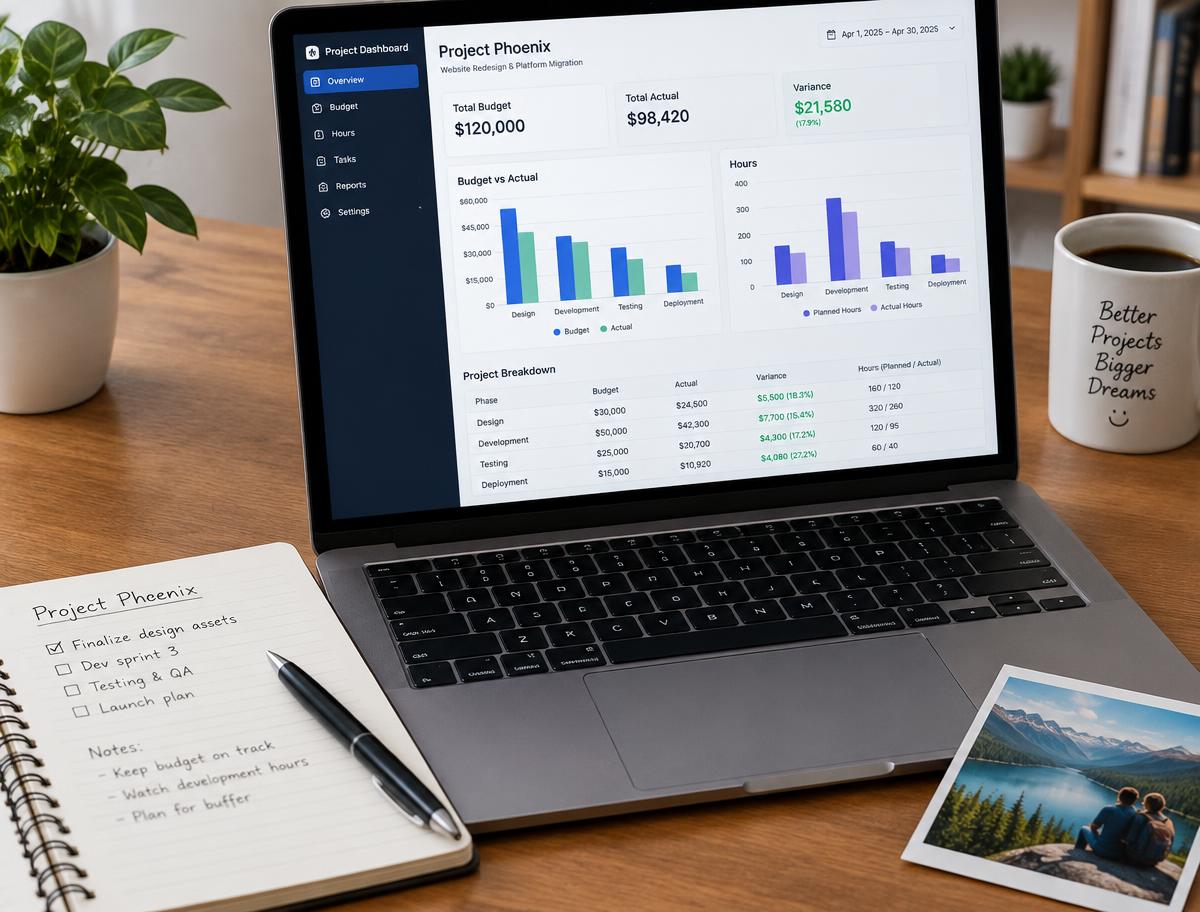
Know what each project earns
Budget, hours and costs update as the work happens, so you can act before a project goes over.
- Budget vs. actual per phase
- Invoiceable hours ready to bill
- Project reports as PDF
AI in projects
AI that sees risks early
Let the AI watch deadlines, capacity and budget for you.
Project plan from a brief
Describe the project and get phases and tasks suggested.
Delay warnings
Flags milestones at risk based on progress and capacity.
Resource matching
Suggests who has time and skills for the next phase.
Budget forecast
Predicts the final cost from hours used so far.
Use cases
For every kind of project
Construction & installation
Phases, site tasks, drawings and hours per project.
Consultancy
Billable hours and deliveries tracked per customer.
Lab & R&D
Studies and tests planned with documentation.
Production changes
Internal improvement projects with owners and deadlines.
Customers
Projects on time and on budget
"We see budget against hours every day now, not three weeks after the project ended."
"Project tasks show up in the team's normal planner. No double planning."
"Final invoices go out the day the project closes."
Why PlanSmarter
Projects connected to people and money
Project tools draw timelines. PlanSmarter staffs, registers and bills them too.
| Capability | PlanSmarter | Typical project tools |
|---|---|---|
| Timeline and milestones | ||
| Tasks in the team's daily planner | partly | |
| Hours approved and billed per project | — | |
| Budget vs. actual live | partly | |
| CRM customer linked to the project | — | |
| Documents, chat & mobile app built in | — |
Run your next project in PlanSmarter.
Create the project, add phases and your team is ready to go.