
The Docs module
The right version.
Always.
PlanSmarter Docs keeps every procedure, contract and drawing controlled, approved and easy to find — and makes sure the right people have actually read it.
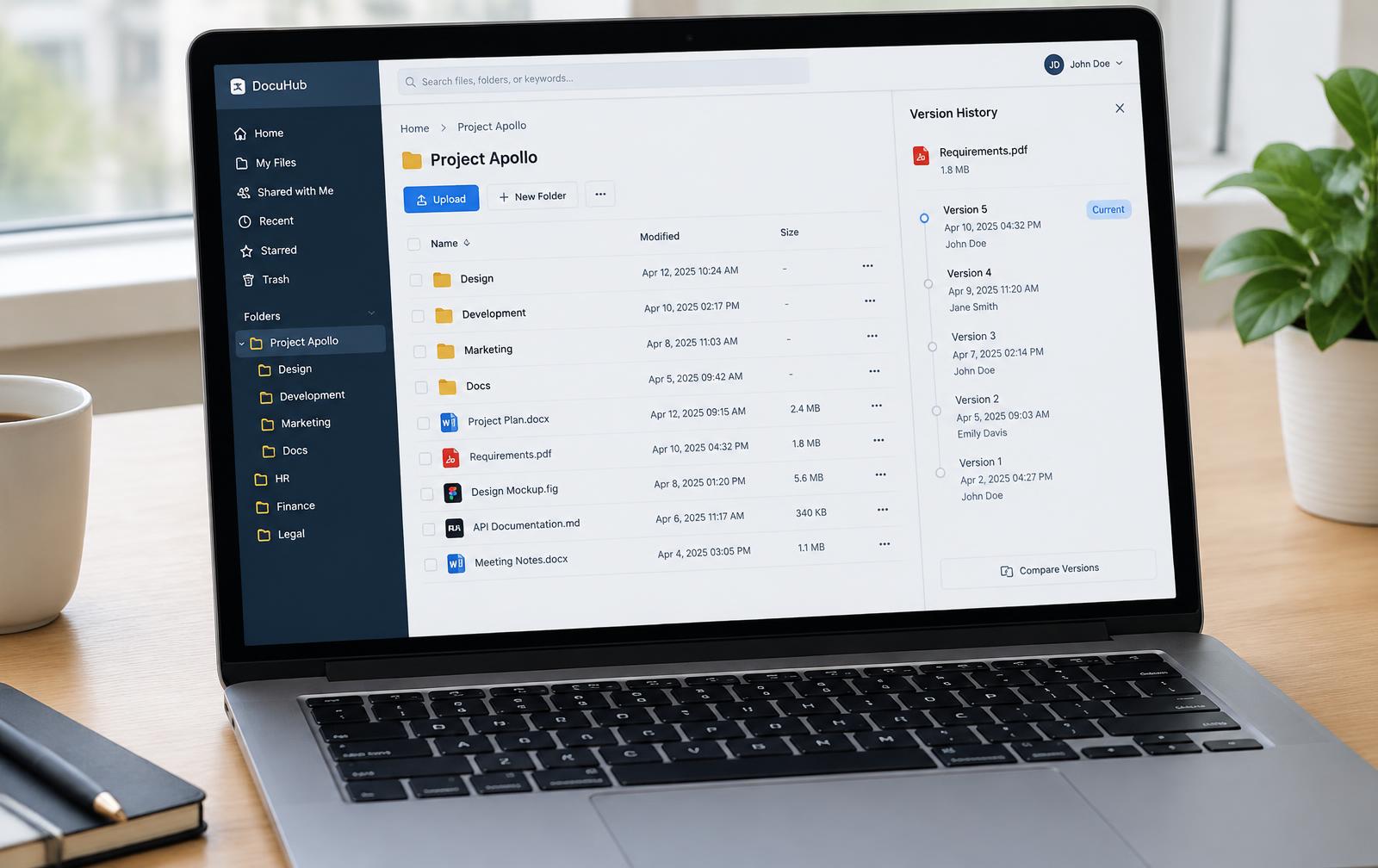
- Version history with who changed what
- Approval flows and read confirmations
- Files linked to tasks, projects and customers
Features
Documents under control
From the first draft to the signed, read and archived version.
Folders & libraries
Structure documents by department, project or process.
Versions
Every version saved with author, date and changes.
Approvals
Send documents for approval before they go live.
Read confirmations
Assign documents to read and see who has confirmed.
Search everywhere
Find documents by title, content or tag from quick search.
Templates
Standard templates for procedures, reports and contracts.
Linked to work
Attach files to tasks, projects, CRM customers and staff.
Review & archive
Review dates, expiry alerts and a safe archive.
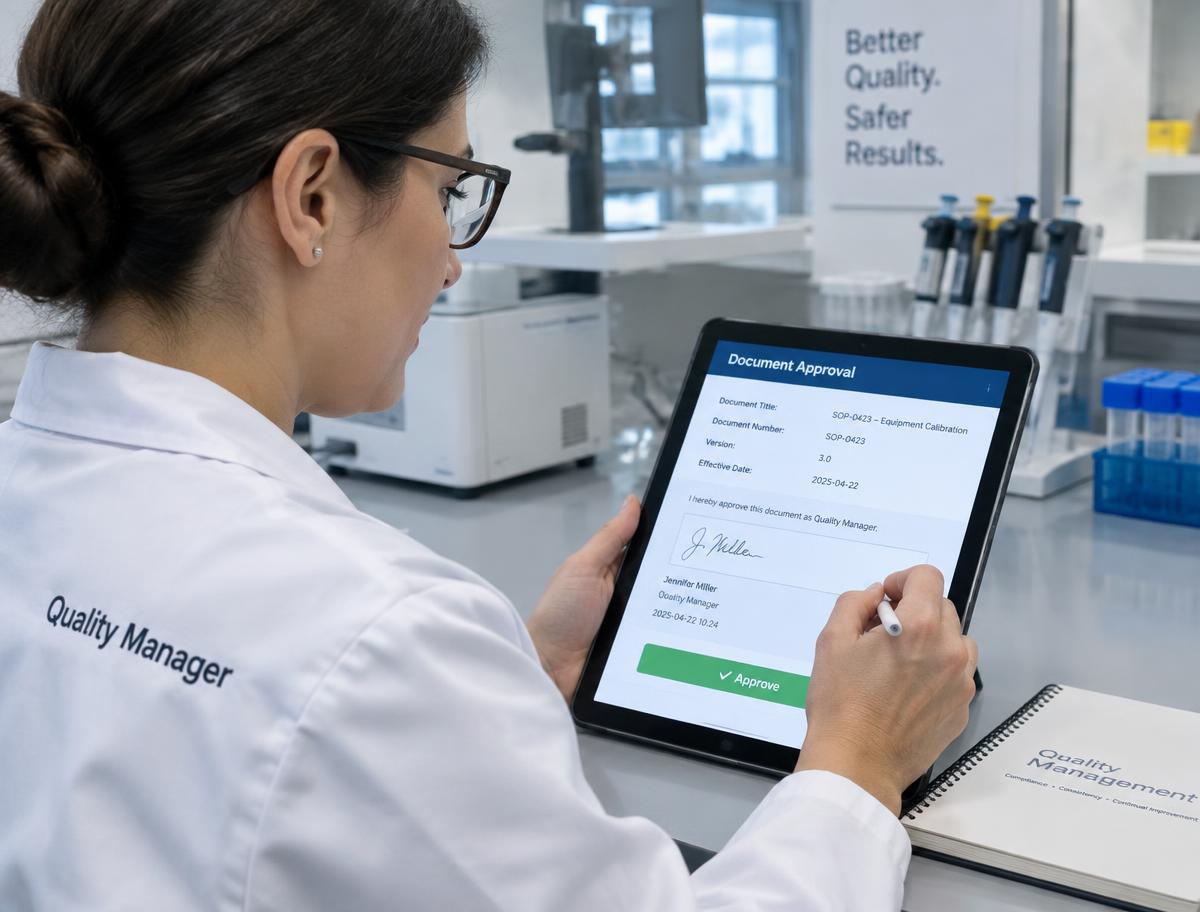
Approved before it's used
Procedures and instructions go through a clear approval flow, with the approver and date on record.
- Draft, review and approved states
- Approver, date and version logged
- Ready for audits and ISO
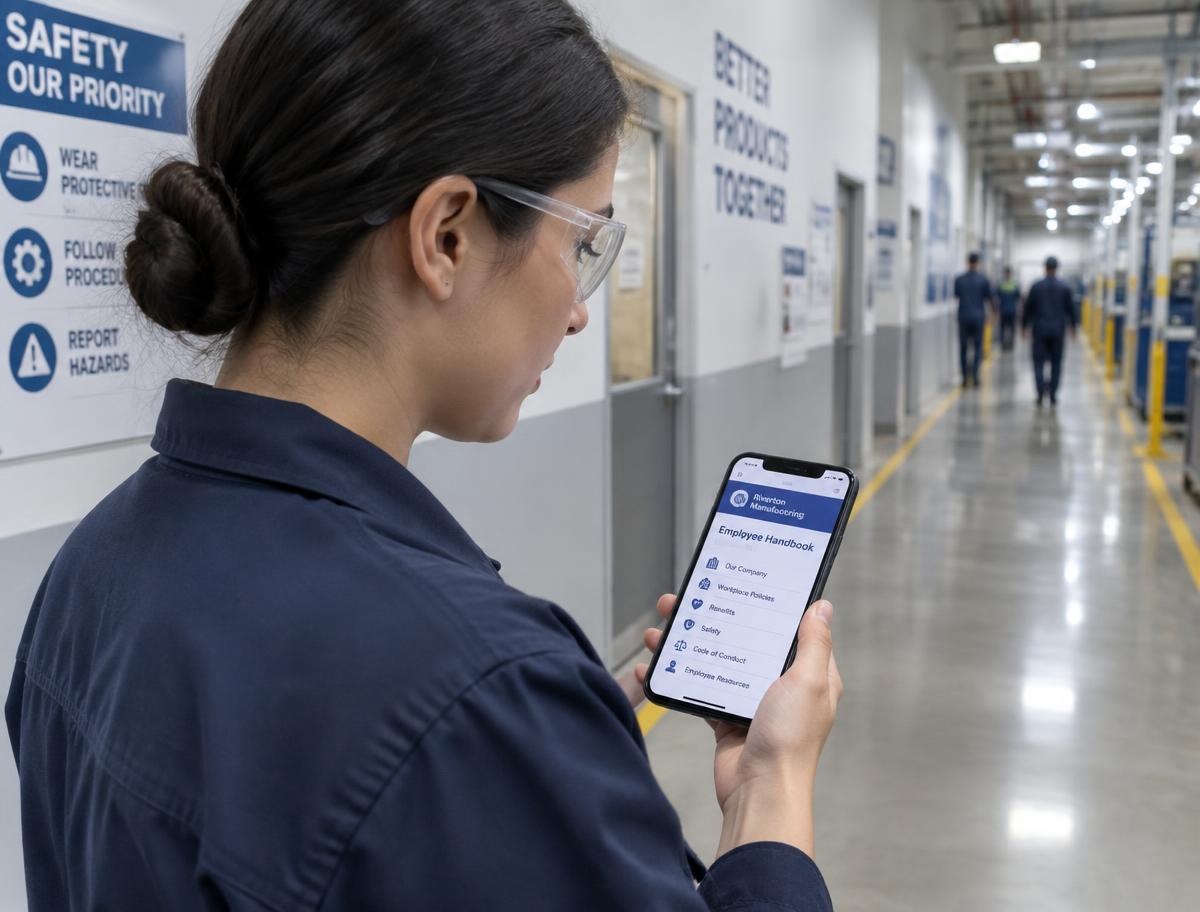
Read — and confirmed
Send new versions to the people who need them and see who has read them, right from the phone.
- Documents to read shown as alerts
- Confirm with one tap
- Overview of who is missing
AI in Docs
AI that reads so you don't have to
Find, summarise and write documents faster.
Summaries
Get the key points of a long document in seconds.
Draft from keywords
Write procedures and instructions from a few bullet points.
Ask your documents
Search by meaning, not just by exact words.
Translate
Danish and English versions without starting from scratch.
Use cases
For organisations that live by their documents
Labs & quality
SOPs, safety data sheets and approvals for audits.
Construction
Drawings and contracts per project with versions.
Production
Work instructions on the floor, always the latest.
Offices & HR
Handbooks, policies and contracts with read confirmations.
Customers
No more hunting for the latest version
"Our audit took half the time — every approval and read confirmation was right there."
"The operators always have the current instruction on the tablet at the machine."
"New staff confirm the handbook in the app. HR sees it instantly."
Why PlanSmarter
Documents connected to the work
File shares store documents. PlanSmarter controls, approves and delivers them to the right people.
| Capability | PlanSmarter | Typical file shares |
|---|---|---|
| Folders and version history | ||
| Approval flows | partly | |
| Read confirmations per person | — | |
| Review dates and expiry alerts | — | |
| Files linked to tasks, projects and customers | — | |
| Planner, quality & HR in the same system | — |
Get your documents under control.
Upload your folders and send the first document for approval today.